Quick answer: Excel works well while your client list is small and you work alone. Move to a CRM when you start missing renewals or follow-ups, keep more than one version of the same sheet, add team members, or need client details on your phone. You can bring your existing Excel lists into the CRM, so you don’t have to start again.
Almost every insurance agent and mutual fund distributor (MFD) in India starts with Excel. It is familiar, flexible and usually already on your computer. You make one sheet for clients, another for policies, maybe a third for SIPs, and colour the cells that need attention. For the first few years, that is often enough.
But a spreadsheet only stores information. It does not remind you, connect a client to their family or tell you what to do today. As your practice grows, these gaps cost you time, renewals and sometimes clients. Here is where Excel works, where it falls short, and how to know when to switch.
What Excel does well
Let’s be fair to Excel. It is a good tool, and there are real reasons agents like it:
- No extra cost. Most people already have it.
- Nothing new to learn. You already know how to type, sort and filter.
- Flexible. You can add any column you want, in any order.
- Quick for small lists. With a few dozen clients, you can see everything on one screen.
If you are just starting out, have a small number of clients and work alone, Excel can be the right choice for now.
Where Excel starts to fall short
The problems usually appear slowly, one missed date at a time. These are the most common ones.
1. It cannot remind you
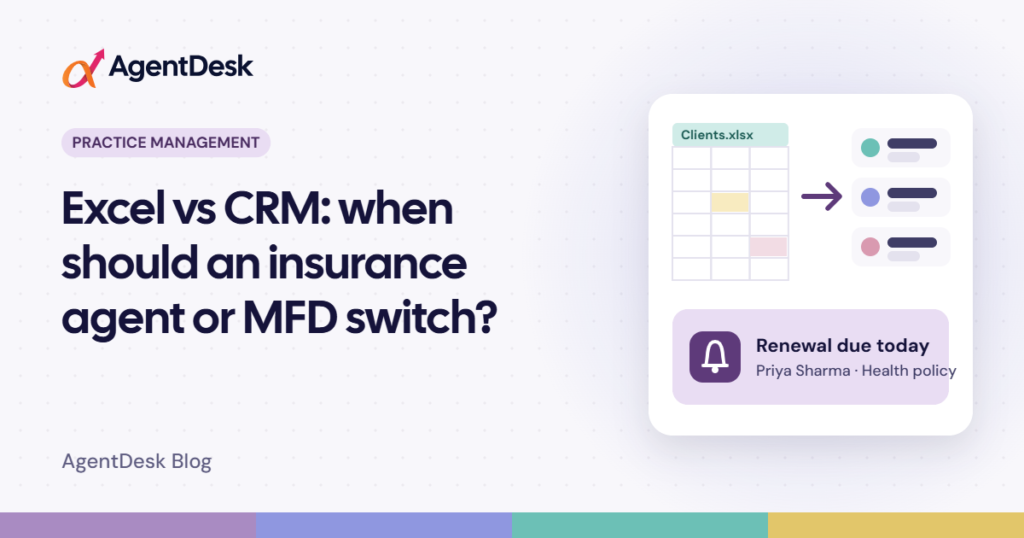
A renewal date sitting in cell F214 will not call you. You have to remember to open the sheet, sort it and check it. In a busy week that step gets skipped, and a premium due date passes without a call. Every missed renewal means lost commission and a client who may feel ignored.
2. Information sits in many places
Client details are in one sheet, policies in another, SIPs in a third, and meeting notes are in your diary or on WhatsApp. When a client calls with a simple question like “Which policies does my wife have?”, you jump between files to find the answer.
3. Too many versions of the same file
“Clients_final.xlsx”, “Clients_final_new.xlsx”, “Clients_March_updated.xlsx”. Once a sheet is copied or emailed, nobody is sure which one is correct, and mistakes in policy numbers and mobile numbers creep in.
4. It is hard to share safely with a team
When you hire an assistant or a junior agent, you either give them the full file, including every client’s PAN and bank details, or nothing at all. Excel has no simple way to say “this person can see clients but not delete them” or “this person cannot export data”.
5. It is not easy to use on your phone
Many client conversations happen away from your desk, and scrolling sideways through a large sheet on a phone is slow and easy to get wrong.
6. One lost file can undo years of work
A laptop crash, a virus or saving over the wrong file can wipe out years of data, and many agents only discover they had no backup afterwards.
Excel vs CRM at a glance
| What you need | Excel | CRM |
|---|---|---|
| Renewal and follow-up reminders | You check the sheet yourself | Shown to you when they are due |
| Client, family and policy details | Spread across sheets | Linked in one client record |
| Team access | Share the whole file | Each person sees only what their role allows |
| Use on the phone | Hard to read | Web app now, mobile apps coming soon |
| Backups | Only if you remember | Can be automatic |
| Reports | Built by hand | Ready reports you can export |
| Cost | Usually free | Monthly or yearly subscription |
Seven signs it is time to switch
You don’t need a CRM just because one exists. Switch when Excel starts holding you back. If two or more of these sound familiar, it is probably time:
- You missed a renewal, maturity or follow-up in the last few months because you forgot to check the sheet.
- You keep more than one version of the same file and are not sure which one is right.
- You spend more time searching for information than talking to clients.
- You have hired, or plan to hire, someone to help you.
- You offer more than one product, such as insurance and mutual funds, and track them in separate sheets.
- Clients ask questions on the phone that you cannot answer until you are back at your desk.
- You worry about what would happen if your laptop stopped working today.
How to move from Excel to a CRM without stress
Switching sounds like a big job, but it does not have to be:
- Clean your main sheet first. Remove duplicate clients, fix mobile numbers and use one date format.
- Start with clients, then add products. Bring in your customer list first, then their policies, investments or loan cases.
- Use the import tool. A good CRM lets you upload an Excel or CSV file using a sample sheet, so you don’t type everything again.
- Check a few records by hand. Compare five or ten clients with your sheet before you fully rely on the new system.
- Keep your old file as a backup. Save a copy of your final Excel file somewhere safe.
- Use it every day for two weeks. Open the CRM each morning to see what is due. It soon becomes a habit.
How AgentDesk helps
AgentDesk is a CRM made for Indian insurance agents, mutual fund distributors, financial advisors and loan DSAs. You can import customers, policies, investments, loan cases and leads from Excel or CSV files using a ready sample sheet, and AgentDesk checks every row before saving it. After that, each client record shows the family, policies, investments and loans together, with renewals, maturities, SIP instalments and follow-ups on a clear timeline, and the Planner keeps your meetings, calls and tasks in one place.
You can still use Excel where it helps: reports can be exported to Excel, CSV or PDF at any time. Team members only see what their role allows, and daily backups can be saved to your own Google Drive. You can book a free demo and see how it would work with your own data before you decide.
Frequently asked questions
Is a CRM worth it for a single agent?
It is worth it once you have enough clients that you sometimes forget renewals or follow-ups. Compare the commission from a single missed renewal with the cost of a CRM: for many agents, the CRM pays for itself. If your list is small and you never miss a date, Excel may be fine for now.
Will I lose my Excel data if I switch?
No. You import a copy of your data into the CRM, and your original file stays on your computer. Keep it as a backup until you are confident with the new system.
How long does it take to switch?
For most small practices, cleaning the sheet and importing it takes a day or two. Getting comfortable with daily use takes about two weeks.