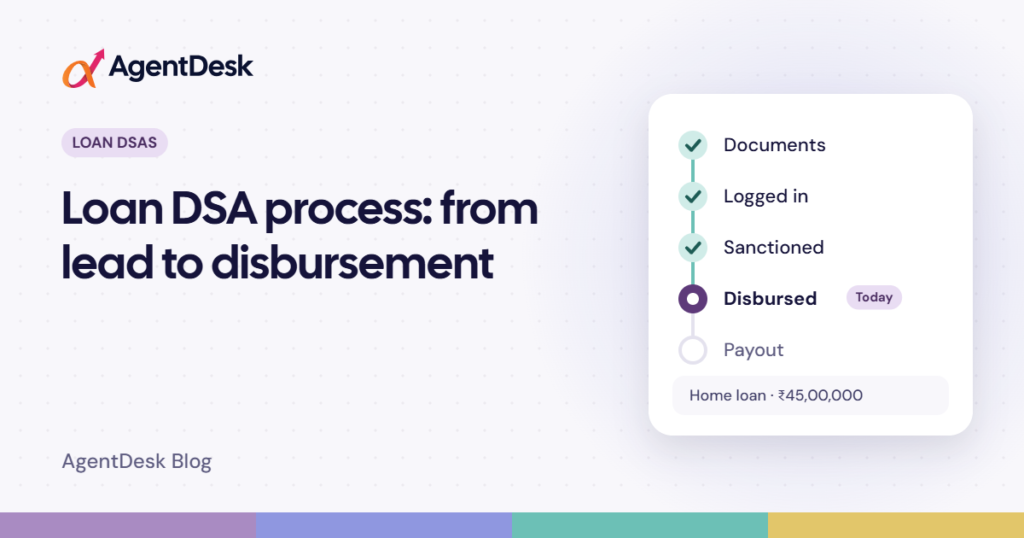
Quick answer: A loan file usually moves through these stages: lead, document collection, ready for login, logged in with the lender, under process, query, sanction, disbursement and payout. Tracking every file by stage, with a document checklist and a clear next action, helps you avoid delays, follow up on time and get paid correctly.
As a loan DSA (Direct Selling Agent), you connect borrowers with banks and NBFCs. Your income depends on two things: files getting disbursed, and lenders paying you the right payout for them. A file that sits untouched for a week is income that is delayed, and sometimes lost.
The good news is that the loan process follows the same basic path for almost every product, whether it is a home loan, a personal loan or a business loan. Once you understand each stage and what it needs from you, tracking files becomes much simpler. Here is the journey of a loan file, step by step.
The 9 stages of a loan file
1. Lead or enquiry
It starts when someone asks about a loan, through a referral, a builder, a walk-in or an online ad. Capture the basics straight away: name, mobile number, loan type, amount needed, city, employment type (salaried or self-employed) and where the lead came from. Ask a few quick questions about income and existing EMIs so you know early whether the case is likely to work.
2. Document collection
This is where most delays happen. The documents depend on the product and the applicant. A salaried person usually needs KYC, salary slips and bank statements; a self-employed person usually needs income tax returns and business proofs; home loans and loans against property also need property papers. Make a checklist for each file and mark every document as pending, received or verified, so you always know what is still missing.
3. Ready for login
Before you submit the file, check that everything is complete and clear. A file sent with missing or unclear papers usually comes back with a query, which costs days. This is also when you decide which lender, or lenders, suit the customer best.
4. Logged in with the lender
“Login” means the file has been submitted to the bank or NBFC. Note the date and the lender’s application or reference number. You will need it every time you follow up.
5. Under process
The lender now checks the customer’s credit history, verifies documents and, for property loans, carries out valuation and legal checks. Your job here is to stay in touch with the lender and keep the customer informed, so nobody feels the file has gone quiet.
6. Query raised
Lenders often ask for an extra document or a clarification. The faster you reply, the faster the file moves. Record what was asked, when, and when you answered.
7. Sanction
When the lender approves the loan, it issues a sanction letter. Record the sanctioned amount, interest rate, tenure, EMI, processing fee and how long the sanction is valid. Share the terms with the customer clearly so there are no surprises later.
8. Disbursement
The lender releases the money. Some loans are paid in one go; others, such as loans for under-construction homes, are paid in parts over months. Record each disbursement with its date, amount and UTR (bank transaction reference). Your payout is usually based on the disbursed amount, so these details matter.
9. Payout
Lenders pay DSAs according to a payout grid, which can depend on the product, the loan amount and the time period, and TDS may be deducted. Check every payout against what you expected. Short or late payouts are common, and they are only recovered if someone follows them up.
Not every file reaches the end. Some are rejected by the lender and some are dropped by the customer. Always record the reason: over time it shows you which lenders and which types of cases work best for you.
Why loan files get stuck
- Documents are pending and nobody has asked the customer again.
- A lender’s query was not answered quickly.
- No one in the team owns the next step.
- The file was sent to a lender that does not suit the customer’s profile.
- Important details are buried in WhatsApp chats and notebooks.
- The customer lost interest because nobody kept them informed.
Simple tips to keep every file moving
- One record per file. Keep the customer, documents, lender details and notes for each case together.
- Always set a next action and date. Every open file should have a clear “what next, and when”.
- Review your pipeline by stage. Once a week, look at how many files, and how much loan value, sit at each stage. Stuck stages stand out quickly.
- Apply to more than one lender only with care. It can improve the chance of approval, but take the customer’s consent and remember that each application usually means a separate credit check.
- Keep every lender’s payout grid handy. You cannot check a payout if you don’t know what you should receive.
- Stay in touch after disbursement. A happy customer may later need a top-up, a balance transfer or a renewal of their CC/OD limit.
How AgentDesk helps loan DSAs
AgentDesk’s Loan DSA CRM comes with 13 ready loan products, including home loans, loans against property, personal and business loans, working capital, vehicle loans, gold loans and education loans. Every case moves through clear stages, from document collection and lender login to sanction and disbursement, and you can use a list or a Kanban board to see how many files and how much value sit at each stage.
Each case gets a document checklist based on the product and applicant type, with every document tracked as pending, received, verified, submitted or waived, and you can send the pending-document list to the customer on WhatsApp. You can log one case with more than one lender, record sanctions and full or part disbursements with UTR references, and set payout grids so AgentDesk calculates expected payouts, including TDS, and tracks what is pending, received or disputed. Leads convert into loan cases without retyping, and ready reports show your pipeline at any time. You can book a free demo to see it with your own loan cases.
Frequently asked questions
What does “login” mean in the loan process?
Login is the moment the DSA submits the customer’s complete loan file to a bank or NBFC. The lender gives it an application or reference number, and its own checks begin.
What is the difference between sanction and disbursement?
Sanction is the lender’s approval of the loan, with the amount and terms written in a sanction letter. Disbursement is when the money is actually paid out, in full or in parts.
How is a DSA’s payout calculated?
Usually as a percentage of the disbursed amount, according to each lender’s payout grid. The rate can vary by product, loan amount and time period, and TDS may be deducted.
How long does a loan take from login to disbursement?
It varies with the product and the lender. Some personal loans move in a few days, while home loans and loans against property can take several weeks because of property checks.